A stock's page, from price to news
A quote page is the home of one instrument. For a stock it holds the latest price, a chart, the key statistics, what analysts think, the company's results, and the news written about it, all on one page.
#The top of the page
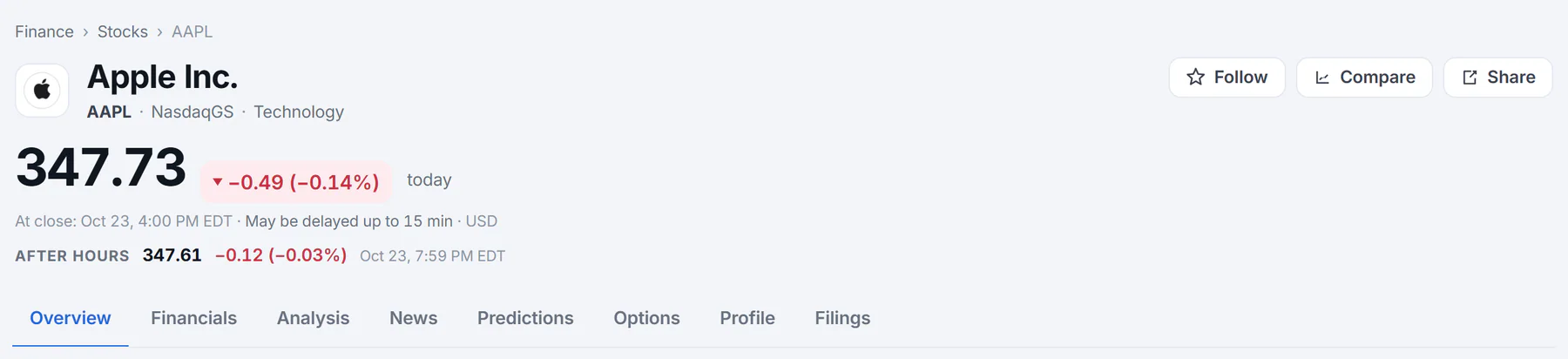
The top of a stock's page: who it is, what it costs now, how fresh that is, and the tabs.
- 1Name, ticker, exchange and sector
- 2Follow, Compare and Share
- 3The latest price and today's change
- 4When the price is from, and the delay notice
- 5After-hours price
- 6The tabs of a stock's page
- Name, ticker and exchange. The ticker is the short code the stock trades under, such as AAPL. For a company the sector appears too.
- Follow, Compare and Share. Follow adds the stock to your watchlist; see Your watchlist. Compare opens the comparison page with this stock already in it; see Compare stocks. Share uses your device's share menu when it has one, and otherwise copies the page's address.
- The price and today's change, as an amount and a percentage, colored green when up and red when down. The price refreshes while the page is open.
- The time line says when the price is from and carries the delay notice. It reads At close once the market has closed, otherwise As of, and shows the currency. Prices may be delayed up to 15 minutes; see How fresh the data is.
- After hours or Pre-market shows the price in the trading sessions before and after the regular day, when there is one.
- The tabs. They differ by what the page is about (below).
#The tabs
A tab opens in place, without reloading the page, and the browser's Back button returns to the one before.
| Tab | On which pages | What it holds |
|---|---|---|
| Overview | All | Chart, statistics, peers, news and the cards below |
| Financials | Stocks | Revenue, profit, cash flow and balance sheet |
| Analysis | Stocks | Analyst ratings, estimates and earnings history |
| News | All | Thirty days of headlines about it |
| Predictions | When three or more prediction markets are about it | Odds on where it will go |
| Options | Stocks and ETFs | The options chain |
| Profile or Fund | Stocks, ETFs and funds | What the company or fund is and who runs it |
| Filings | Stocks | Reports filed with the U.S. Securities and Exchange Commission |
Indexes, currencies, coins, commodities, futures and rates have Overview, News and sometimes Predictions. See Funds, indexes, coins and currencies.
#What the Overview holds
The main column, from top to bottom:
- The price chart. See Price charts.
- Key statistics. See Key statistics, explained.
- Against its peers. The stock beside its closest companies. See Peers and related companies.
- Related companies. The same, with tabs for different kinds of similarity.
- The AI market summary, when AI answers are on. See The AI market summary.
- Latest news and In the news. See News, coverage and sentiment.
The right-hand column holds shorter cards:
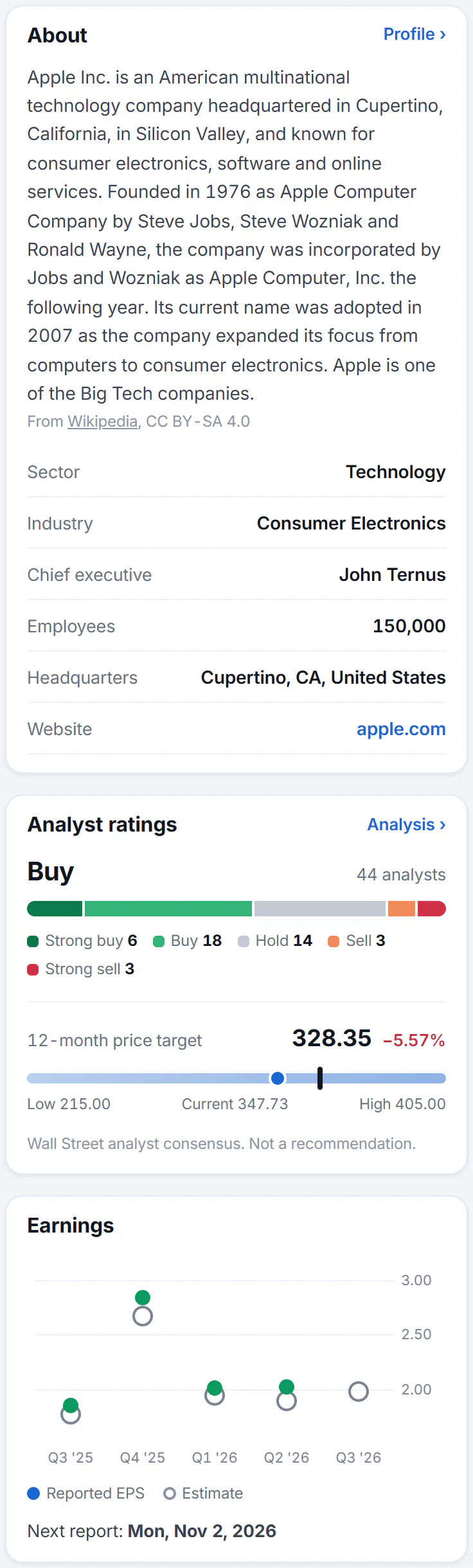
About, Analyst ratings and Earnings are the first cards in the side column.
- 1What the company does
- 2How many analysts say buy, hold or sell
- 3The range of analysts' 12-month price targets
- 4Earnings per share: reported against estimate
- 5The next report date
- About: a short description of the company, its sector and industry, chief executive, employees, headquarters and website. Profile opens the long version.
- Analyst ratings: how many analysts say buy, hold or sell, and where their price targets sit. See Research a company.
- Earnings: each recent quarter's reported earnings per share against the estimate, and the date of the next report.
- Prediction markets: up to four markets about the stock. See Prediction-market odds.
- Quarterly results: revenue and net income for the last quarters.
- Funds that hold it: the funds with the biggest stake in it, and how much of each fund it is.
- Track record: how many days it made the day's lists of top gainers, top losers and most active; see The Leaderboard.
#Common questions
What is the little "Odds" label beside some names?
It marks an instrument that prediction markets have markets about. Select it to see them. The numbers are traders' prices, not a forecast. See Prediction-market odds.
Why does the price change while I am reading?
Prices refresh on their own while the page is open. They may still be up to 15 minutes behind the market.
Can I see a stock's page without searching?
Yes. Any ticker or name on a Finance page that you can select opens its page, and the address always has the form /finance/quote/ followed by the ticker, such as /finance/quote/MSFT/.
Why does a company page have no Financials tab?
Funds, indexes, currencies, coins and commodities have no company results to show, so those tabs only appear on stocks.